 Broker
Identify the unit in the ticket
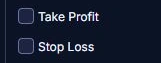
On a supported practice CFD, inspect the automatic close controls. Read whether the field is expressed as a price, a percentage or a cash result. A value of 10 can mean three very different things. Where a percentage appears, establish what balance or investment that percentage uses.
Estimate a simple stop distance
Imagine a long position of 20 units entered at 50 with a stop level of 49.50. Its planned adverse move is 0.50 per unit, or 10 in the quote currency before costs. For a short position the adverse move is upward. Contract multipliers and account-currency conversion can change the cash figure.
Allow for a different fill
A trigger can be reached during a sharp gap. If the next executable exit on the example long were 49.20, the price loss would be 16 rather than the planned 10. Check your provider’s execution policy and the specific order type for its handling of gaps.
Review the completed practice trade
Keep a note of the intended stop and target, then compare them with the direction, actual closing price and net result in history. Include the spread and any stated charges when explaining a discrepancy.
Run a short-position example
Imagine a short of eight underlying units filled at 25.00. You model a stop at 25.75 and a target at 23.50. A fill exactly at the stop gives a gross loss of 8 × 0.75 = 6. A fill exactly at the target gives a gross gain of 8 × 1.50 = 12. The planned reward-to-risk ratio is two to one. A ratio describes the size of two possible outcomes while their likelihood remains unknown.
Investigate a chart that seems to miss the stop
Write down the position direction, selected price or cash threshold, trigger time, closing fill and price series displayed. A short CFD closes by buying, so the ask can matter even when a mid-price chart stays below the level on screen. Confirm which quote the contract uses to trigger the instruction in your applicable execution terms. A cash-based setting can also differ from a price-based calculation when costs or currency conversion enter the result.
Keep the original instruction when you review edits
A screenshot taken after a stop change cannot establish what the first stop was. Keep a practice log of initial level, revision time and revised level alongside the closing record. If you use a stop based on a percentage, write down the platform’s stated reference amount. For a final check, compare the recorded loss with both your initial plan and the level actually in force when the position closed.
Sources & further reading
- IQ Option automatic close controls
- IQ Option on liquidity and gaps
- IQ Option bid, ask and average quotes
- IQ Option legal documents
- IQ Option guide to trade records
Try the Risk and reward calculator.
Related guides
This is for information purposes only and should not be considered as personal and/or investment advice and/or incentive to continue trading. We do not guarantee the accuracy, validity, timeliness, or completeness of any information or data made available and assume no liability as to any loss arising from any investment based on the content of this material.